Scalus System Updates

Your website is never finished

Every Scalus site runs on one platform, so when the standard improves, every client site gets the improvement. No upgrade fee, no separate SEO invoice, no work for you. This is the record of what has shipped and what it did.

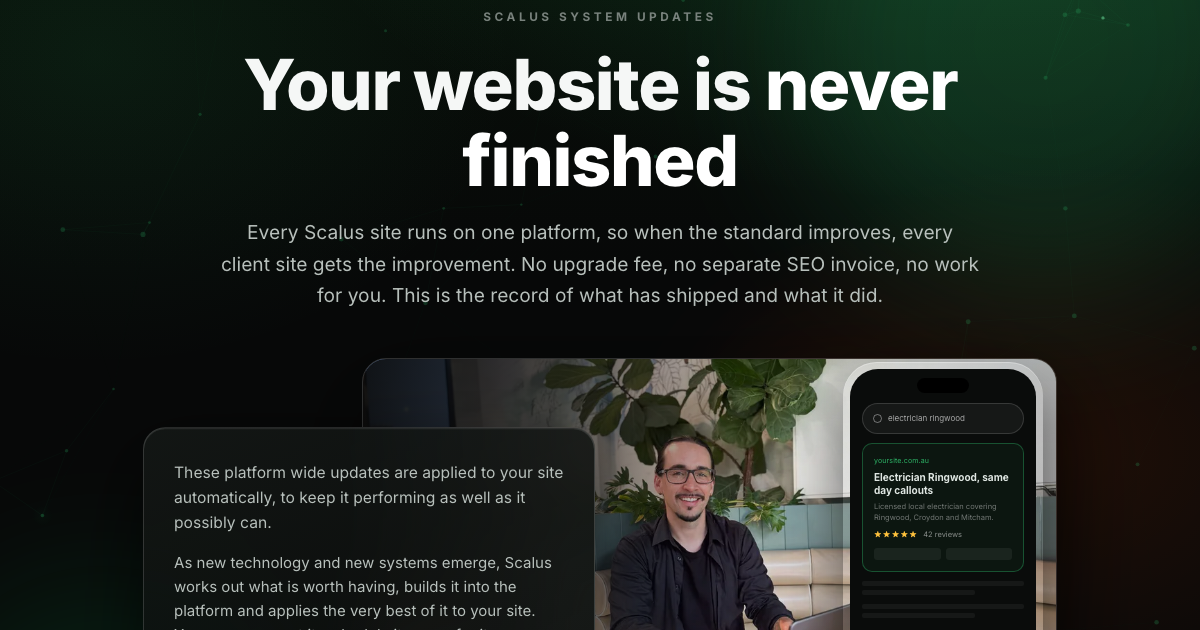
Tim McCartney, the Scalus developer, working at his laptop applying a platform update
Tim Developer Updating your site across the platform

These platform wide updates are applied to your site automatically, to keep it performing as well as it possibly can.

As new technology and new systems emerge, Scalus works out what is worth having, builds it into the platform and applies the very best of it to your site. You never request it, schedule it or pay for it.

Get a quote
electrician ringwood
yoursite.com.au Electrician Ringwood, same day callouts Licensed local electrician covering Ringwood, Croydon and Mitcham.
★★★★★ 42 reviews
who should I call for an electrician near me
Answer

For electrical work around Ringwood, your business is well reviewed locally and covers the area.

yoursite.com.au
NameSarah
Mobile0468 085 444
Send
Found on Google2.0.02
Cited in AI search2.0
New enquiry form2.1.1
Current version2.4.25
Released9 November 2026
Applied toEvery client using the Scalus app

Make your own QR codes in the Scalus app

You can now make your own QR codes in the Scalus app, in your own colours and with your logo. Each code can send people to your website, your Google reviews, a call, a text or your WiFi. The app now also shows what your Google Business Profile brought you each month. Performance now shows a monthly map of where your business comes up on Google Maps, and whether Google's AI names it.

Read the full notes

Release history

Newest first. Filter by what the release changed.

2.4.25 Platform

Make your own QR codes in the Scalus app

You can now make your own QR codes in the Scalus app, in your own colours and with your logo. Each code can send people to your website, your Google reviews, a call, a text or your WiFi. The app now also shows what your Google Business Profile brought you each month. Performance now shows a monthly map of where your business comes up on Google Maps, and whether Google's AI names it.

Your own QR codes

Make QR codes in your own colours with your logo on them. Point each one at your website, your Google reviews, a call, a text or your WiFi.

What your Google profile brought you

Each month you can see the calls, website clicks, directions and views your Google Business Profile brought you, right in the app.

A monthly map of where you show on Google Maps

Performance now shows a monthly map of where your business comes up on Google Maps, checked from 49 spots around it. It also shows whether Google's AI names your business. This is included in your plan.

Applied to Every client using the Scalus app. Nothing was required from you.

2.4.24 Platform

Add your own photos to the Scalus app

You can now add your own photos to Photos in the Scalus app. Drag them onto Photos on a computer, or tap Add your photos on a phone. They go into your own Uploaded photos folder under your shoots. Signing up is also more careful with names, so an ABN is never taken as your business name.

Drag in photos or add them from your phone

On a computer, drag your photos onto Photos. On a phone, tap Add your photos. Each one goes into your Uploaded photos folder, under your shoots.

Big iPhone photos go in too

A large photo straight from an iPhone now goes in from a computer as well, even when the browser cannot shrink it first.

The reason shows when a photo cannot go in

If a photo can never go in, the app shows you why, such as that the photo could not be read or is too big.

Sign up gets your name right

When you sign up, an ABN or anything that is only numbers is never used as your business name or in your welcome. The welcome greets you by your own name, or says Hi there.

Applied to Clients using Photos in the Scalus app, and new clients signing up. Nothing was required from you.

2.4.23 Platform

Watch and download your shoot videos in the app

You can now watch and download the videos from your shoot in the Photos section of your Scalus app, next to your photos. Each video plays in the big view and has its own Download button. The counts on your shoot now show how many photos and how many videos it holds.

Videos sit next to your photos

A shoot can now hold videos as well as photos. Each video shows a play badge on its tile so you can tell it apart from a photo.

Play it, then download it

Open a video and it plays in the big view. Tap Download to save the video file to your device.

Applied to Clients with a shoot in the Scalus app. Nothing was required from you.

2.4.22 Platform

Emailed website requests now land in your app

You can now email us a website request and it lands in your Scalus app thread by itself. Our reply shows in the same thread, and we send you a text to point you to the app. You can also now fix a person's name, mobile or email right on an Enquiries card in the app.

Email requests go straight to your app thread

Email us a request for your website and it shows up in your Scalus app thread by itself. Our reply is there too, so the whole request stays in one place.

A text points you to the reply

When we reply, you get a text pointing you to the app so you know where to find it.

Fix contact details on an Enquiries card

Open an Enquiries card and you can change the person's name, mobile or email right there. The card shows the new name once you save, and this works on both kinds of board.

Applied to Clients using the Scalus app. Nothing was required from you.

2.4.21 Platform

Send several photos at once in the app chat

You can now pick a batch of photos and send them to us in one message in the Scalus app chat. Videos and PDFs your customers text to your number now show in the Scalus app, and the videos play right there.

Several photos in one chat message

Tap the picture button and choose a batch of photos at once. They arrive as one message with every photo in it. A video still goes on its own.

Nothing breaks the send

If your phone or browser cannot get a photo ready, that one is left out, the chat tells you, and the rest still send. If you pick photos and a video together, the chat lets you know.

Customer videos and PDFs show in the app

When a customer texts a video or a PDF to your number, it now shows in the Scalus app. Videos play right there.

Applied to Clients using the Scalus app chat and customer texts in the app. Nothing was required from you.

2.4.20 Security

Sign in to the Scalus app with your mobile

Signing in to the Scalus app is now done with your mobile. Enter your number, type the code we text you, and you stay signed in on that device. If you were already signed in, you stay signed in. You can also like a single message or photo, and Performance now opens inside the app on a phone.

A text code to your mobile

Enter your mobile, get a text code, and you stay signed in on that device. In some cases we also send a code to your email. If your account has no mobile on it yet, you will be asked to add one.

Adding a team member needs a mobile

Adding someone to your team now needs their mobile number, and a landline is not accepted. The Team screen shows each person's position. The owner can hand over the owner role with Make owner, two taps and a confirm code.

Like any message or photo

Double tap on a phone or double click on a computer to like one message or one photo in your chat. Do the same again to take it back.

Phone app fixes

Performance now opens inside the app instead of in your browser, and its map picks its own area from your visitors: the world, Australia, Victoria or Melbourne. Connect on Social posts opens the platform's own sign in in your browser with no Scalus sign in page first. Phone numbers in chat messages are tap to call, and the Updates screen shows the latest releases again.

Applied to Everyone who signs in to the Scalus app. Nothing was required from you.

2.4.19 Platform

Your bills sorted by month in the Scalus app

Billing in the Scalus app now shows what your monthly bill covers and lists your payments by month, with a total for each month. Account owners can download every statement as one PDF. Review clients now have their own feedback page at their own web address, where happy customers get a thank you before going to Google.

What your bill covers

Billing opens a section, closed to start with, that lists what your plan covers under Website, Phone system and Ads. Phone system shows your number, texts, calls, voicemail, the credit left and any top ups. Next payment shows the full amount of your next bill.

Payments grouped by month

Your payments are grouped by statement month, each with its own total, and every amount shows its cents. Each payment made in the Scalus app has an invoice and a PDF. Older website payments made other ways now show in the same list.

Download all statements

The account owner can download every statement as one PDF, with a section for each month.

A feedback page at your own web address

If we run your Google reviews, your website now has its own feedback page. A customer who picks four or five stars sees a thank you, then goes to your Google reviews. A customer who picks fewer stars can send you a private note, and the Google link stays on the page for everyone.

Performance and team changes

The Performance tab now shows for every client. If your website is not sending visits yet, it says Waiting for website activation and turns on by itself at the first visit. When someone joins or leaves your account, your messages show a small grey line, with no alert and no unread count.

Applied to Every client using the Scalus app, and the feedback page for our review clients. Nothing was required from you.

2.4.18 Platform

Book a video call with us inside the Scalus app

You can now book a 20 minute video call with us without leaving the Scalus app. Open Support, pick a time and add your teammates with one tap. Everyone on your team with an email is put on the calendar invite, and every text about the call carries the link to join.

Book a call from Support

Open Support, choose Book a call, pick a free time and add any notes. Your teammates can be added with one tap, and you never leave the app.

Your whole team on the invite

Everyone on your team with an email is now put on the calendar invite. Every text about the call carries the link to join.

Applied to Clients using the Scalus app. Nothing was required from you.

2.4.17 Search

Old links now land on the right page

When a business moves to a new website, Google and other sites keep its old page addresses for months. Those old addresses now forward to the closest page on the new site, so visitors and Google arrive at the right page instead of a missing one.

Old addresses forward to the new page

An old pricing page, team page or blog post from a previous website now forwards to its closest match, such as the services page or the renamed post.

Checked against Google's own list

We read the addresses Google reports it could not find, match each one to a live page, and ask Google to check the fix.

Real missing pages stay missing

An address that never existed still tells Google it is missing, so search results stay clean and nothing points at the wrong page.

Applied to Client websites that replaced an older site. Nothing was required from you.

2.4.16 Security

Keep me signed in, your choice

The sign in screen now lets you choose how long you stay signed in on a device, and booking a paid Scalus Learn session or a paid shoot now asks for a fresh code first.

Keep me signed in on this device for 90 days

The box is ticked to start with, so nothing changes unless you want it to. Untick it on a shared computer or someone else's phone and you are signed out within 12 hours. It is on the sign in screen, the code screens and Switch person.

A fresh code before paid bookings

Booking a paid Scalus Learn session or a paid shoot now asks for a fresh code we send you. Without it nothing is booked and no payment page opens. Your complimentary shoot books without it.

Applied to Everyone who signs in to the Scalus app. Nothing was required from you.

2.4.15 Security

Two codes to sign in to the Scalus app

As part of ongoing security concerns after recent events, where big banks found automated assistants acting inside customer accounts, signing in to the Scalus app now takes a code on your mobile and a code on your email. The biggest changes in the app now need a fresh code, and the business owner is emailed straight away when one is made.

A code on your mobile and one on your email

Signing in now takes two codes, one to your mobile and one to your email. If we only have one of them for you, the sign in screen asks you to add the other and checks it with its own code.

Signed in for 90 days on each device

Once you are in, you stay signed in on that device for 90 days. Nobody was signed out when this went live.

A fresh code for the big changes

Adding or removing a team member, changing your card, buying an add on (a custom email, a domain, a business name sender, Google Business Maintenance, the Store or the Google review system), and changing the number your calls ring through to or your backup mobile now need a fresh code we send you.

The owner hears about it straight away

When any of those changes is made, the business owner gets an email from Tim straight away saying when it happened and who did it, with where to change it back.

Applied to Everyone who signs in to the Scalus app. Nothing was required from you.

2.4.14 Platform

A Contacts list in your Scalus app

Your customers, leads and enquiries are easier to deal with when they are all in one place. The Scalus app now has a Contacts list that holds every one of them in a list you can search. You can also now book a 20 minute video call with us from the app. Messages that ask you to open something in the app now show you where to tap, and admin texts from us such as sign in codes arrive under the name Scalus.

Every customer, lead and enquiry in one list

Contacts puts everyone in one list you can search. From any contact you can call, text or email them, or open their Instagram, with one tap.

Bring your old lists in

If your contacts are in an old spreadsheet, a PDF or a photo of a list, the app reads them straight in. You do not have to type them out again.

Book a video call with us

You can now book a 20 minute video call with us from the app, and add your teammates with one tap. You get a calendar invite, then a reminder text 1 hour before the call and another 10 minutes before.

A pointer to the right place

When a message from us asks you to open something in the app, that menu item now shows a pointing finger until you open it. If you do not come into the app, we send you a reminder text.

Admin texts show the name Scalus

Admin texts from us, such as sign in codes, now arrive from the verified sender name Scalus, so you know they are from us.

Applied to Every client using the Scalus app. Nothing was required from you.

2.4.13 Enquiries

An Enquiries board in your Scalus app

The Enquiries page in the app is now a board for 16 clients. It has stages that fit your business, and opening a card shows what the customer sent. Your Google review screen now shows who left you a review. Your Performance page now shows your own Google Analytics figures and puts your visitors on a live map of Victoria.

Every form enquiry on one board

Each website form enquiry is a card on a board, with stages set up for your business. Opening the card shows what the customer wrote. This is live today for 16 clients.

See who left you a Google review

The review screen now lists the customers who left you a Google review, with Google's logo and their stars. Automatic link checkers no longer count as a tap.

The past customers still to be asked

When we are working through a list of past customers to ask for a review, the screen now shows that list, by name and the day each one is due. It also shows who opened their link or tapped through to Google.

Your own visitor figures

The Performance page now shows your own Google Analytics figures: how many people visited, how many came back, the time everyone spent on the site, and phones against computers.

Your visitors on a map

The Performance page now puts your website visitors on a live map of Victoria, with Google Analytics and Google Search Console shown alongside.

Applied to Clients using the Scalus app, with the Enquiries board live for 16 of them. Nothing was required from you.

2.4.12 Platform

Your shoot photos, ready to download in the app

Every business now has a Photos item in the Scalus app. It holds the shoots we have done for you, and you can look through them and download them on a computer or a phone. Today also brings an easier way to email a quote or invoice, one sheet for choosing your reminders, a chat that is easier to read on a phone, and a label on every enquiry that shows where it came from.

Photos in the side panel and phone menu

Open Photos to see the shoots we have done for you. Look through them and download them, on a computer or a phone.

Email a quote or invoice from the app

The subject and message are already filled in, and you can change any word before it goes. The PDF is attached for you. If you would rather send it yourself, you can send it from your own email.

All your reminders on one sheet

A new Notifications sheet lets you choose in app notifications, text reminders and email reminders in one place.

Chat that is easier to read on a phone

On a phone, the chat in the app now has bigger text, the time beside each message, and messages grouped together. While you type, the box you type in gets the full width of the screen.

See where each enquiry came from

Every card on your Enquiries board now shows whether the lead came from a phone call, your social pages or your website. Each one has its own colour and icon.

Applied to Every client using the Scalus app. Nothing was required from you.

2.4.11 Search

Review texts now open a five star page

Every Google review text we send for you now opens a page with five stars. A customer who picks 4 or 5 goes straight to the Google review box. A customer who picks 1 to 3 comes to you first by email, and Google is still one tap away for them. You can also now switch the review system on yourself from the menu in the Scalus app.

Five stars before Google

The customer taps a star rating first. A 4 or 5 opens the Google review box. A 1 to 3 comes to you by email first, with Google still one tap away.

Switch it on from the app

The Google review system can now be switched on from the menu in the Scalus app. The price is shown before you confirm.

Two ready wordings for every text

For every text about your own work, the app gives you two ready wordings, and shows each one as the customer will read it. Before the system is turned on, a first page explains how it works.

A Phone system section in the app

The app menu now has a Phone system group, with pages for your number, your voicemail and your usage. Each one opens as a full page with the menu still in view.

Applied to Every Google review text we send, and the Scalus app menu. Nothing was required from you.

2.4.10 Platform

Invoices and quotes filled in from a photo

Invoices and quotes in the Scalus app can now fill in a customer from a photo of their business card, or from anyone you have billed before. They can also read every part off a photo of your supplier's quote, and send to up to three emails at once. Three short videos show you how. Signing in now starts with your mobile, and the Inbox lets you mark a conversation read or unread or archive it.

The customer from a business card

Take a photo of a customer's business card and the invoice or quote fills in their details. It can also fill in anyone you have billed before. An invoice or quote can now go to up to three emails at once.

Parts read off your supplier's quote

Take a photo of a quote from your supplier and the app reads every part off it. Quotes also have room for a car's VIN, year built, rego, colour and number of seats, printed on the quote and carried over when it becomes an invoice.

Short videos that show you how

Three short videos walk you through making an invoice, a quote and an estimate from photos on your phone, one tap at a time. There is a Watch how to make one link on the Invoices screen.

Sign in with your mobile

Signing in now starts with your mobile number. Your face and name show on the chat so you always know who you are sending as, and Not you? switches to a teammate with a code sent to their own phone.

Inbox tidying and one reminder plan

Right click a conversation, or hold it on your phone, to mark it read or unread or archive it. Pipeline is now called Enquiries. Reminders about unread messages now send an email after 24 hours, then one text after 3 days, and then nothing more about those messages.

Applied to Every client using the Scalus app. Nothing was required from you.

2.4.09 Platform

Google review requests sent from your own number

Google review requests now run from your own number in your Scalus app. After every finished job, your customer gets a text with a link straight to your Google review page. Gentle follow ups go out as well, and a screen shows who was asked and who tapped through. Quotes now start with your customer's details, and new team members pick their own name and details the first time they sign in.

A text after every finished job

After every finished job, your customer gets a text from your business's own number. It has a link straight to your Google review page.

Gentle follow ups

Review requests also come with gentle follow ups.

See who was asked

A screen in the app shows which customers were asked and which ones tapped through to your review page.

Quotes start with your customer's details

A quote now starts with your customer's details and a job reference. You preview it, then send it to your customer or to any email address in one tap.

New team members set themselves up

The first time a new team member signs in to the app, they pick their own name and details.

Applied to Every client using the Scalus app. Nothing was required from you.

2.4.08 Platform

An Updates screen in your Scalus app

Every client now has an Updates screen in the Scalus app. It shows the version of Scalus OS you are on. It also shows the update in progress, and every update before it.

The version you are on

The Updates screen shows which version of Scalus OS you are on.

The update in progress

The same screen shows the update that is in progress.

Every update before it

Every earlier update is listed on the screen too.

Applied to Every client using the Scalus app. Nothing was required from you.

2.4.07 Search

Every client site checked for Google listing errors

Google keeps a report for each site of the problems it finds when it reads the pages. Today we went through that report for every client site. Listing errors were fixed the same day. On some sites that meant sending old page addresses on to a current page. On others it meant correcting the business details Google reads.

Every client site checked

We went through Google's report for every client site today. Listing errors were fixed the same day.

Old addresses lead to a current page

On some sites, Google was still visiting old page addresses. Those old addresses now send visitors and Google on to a current page.

Business details in a form Google accepts

On some sites, the details we give Google about the type of business, its reviews or its products were not in a form Google accepts. We have corrected them.

Applied to Every client website. Nothing was required from you.

2.4.06 Platform

Itemised invoices and quotes in the app

Before today, the list of invoices and quotes in the app did not show every one you had made, and once there were enough, the oldest could be dropped without warning. You can now build invoices and quotes line by line in the app, see every one you have made, and edit any of them. When you press Create, the PDF opens on your phone and a copy is emailed to you. Nothing is sent to your customer until you press Send.

Create Invoice and Create Quote

The home screen has a Create Invoice button and a Create Quote button, and a tab each for Invoices and Quotes. One form does both, with lines for parts, labour and other costs, plus photos, files and notes.

Every invoice and quote in one place

Each tab lists every invoice or quote you have made and every draft. You can continue a draft, edit one, turn a quote into an invoice, email it to your customer or use it again.

The PDF opens the moment you create it

Pressing Create opens the PDF on your phone and emails it to you and your business inbox. Nothing goes to your customer until you press Send.

Nothing you make is lost

Every invoice and quote is now kept, and the list shows them all. When you edit one, the version it replaced is kept with it. One made earlier with a single price opens with that price as its first line.

Applied to Every client using invoices and quotes in the Scalus app. Nothing was required from you.

2.4.05 Platform

A Performance tab in your Scalus app

Your app now has a Performance tab. It shows your site visits, your enquiries and how often Google shows your business. The app menu now tidies itself once your website is live. The forms and chat on every client site also now block more kinds of sales pitches, and keep a private copy of everything they block, so a real customer is never lost.

Your results in one place

The tab that was called Results is now Performance. It shows your site visits and your enquiries. It also shows how often Google shows your business, what people searched and how many of them clicked.

A menu that steps aside when you are set up

Once your website is live, set up items like onboarding, the shoot booking and the review system leave the menu. They come back the moment you ask about them. The store now sits at the top, and the legal links are inside Help.

Fewer sales pitches in your enquiries

The forms and chat on every client site now block people selling virtual assistants and offshore staff, as well as people selling search work.

Nothing blocked is thrown away

Every message the filter blocks is now kept as a private copy, so a real customer is never lost.

Applied to Every client using the Scalus app, and the forms and chat on every client website. Nothing was required from you.

2.4.04 Platform

The Invoice Generator now opens the easy way

The Invoice Generator in the Scalus app now opens the easy way. You add your files and photos, type your notes and one price, and your invoice or quote comes back as one PDF with everything in it. An invoice can no longer go out without bank details on it. The app menu also now puts Ask for a change first, in colour, with your business tools grouped underneath.

Files, notes and a price in, one PDF out

Add your files and photos, type your notes and one price. Your invoice or quote comes back as a single PDF with everything in it.

Bank details on every invoice

An invoice can no longer go out without bank details on it.

Ask for a change comes first

The app menu now puts Ask for a change at the top, in colour. Your business tools are grouped underneath it.

The Invoice Generator sits right under it

In the menu, the Invoice Generator now sits right under Ask for a change.

Applied to The Scalus app menu and its Invoice Generator. Nothing was required from you.

2.4.03 Platform

A new look for the Scalus app

Setting up with us used to mean a form of 54 questions. It is now down to the basics and takes about two minutes, and anything you already answered is kept. The app also has a new look on phone and web, a line that marks what you have not read, and pointers on your first visit. Every enquiry email from your website now shows the page it came from and when it was sent.

One look on phone and web

The app has a floating message box and a full screen menu you open with a swipe. The web version is laid out the same as the app. There is a Tutorial in Help, and tapping a text box on an iPhone no longer zooms the page in.

See what you have not read

A line in the chat now marks where your unread messages start, and a red count shows new replies. On your first visit, three arrows show you where to chat, where to find settings and where to call.

Set up in about two minutes

The set up form has gone from 54 questions down to the basics. Any answers you already gave are kept. New clients also get a welcome message from us in the app the moment they sign up.

A weekly reminder to finish set up

If you have not finished the set up form, you get one text and one email a week showing how far through you are, with a link to finish it in the app.

Enquiry emails show where and when

Every enquiry email from your website now ends with the page it was sent from, the date and time it was sent, and a green tick to show it was checked. A link explains how every enquiry is screened for spam, saved and delivered.

Applied to Every client using the Scalus app, and every client website. Nothing was required from you.

2.4.02 Platform

A nudge when a message is waiting for you

A message that sits unread holds up the job it is about. If something we have sent you in the app has not been seen after a day, you now get a reminder, by text the first couple of times and by email after that. It runs on weekdays in business hours only, and it can be switched off.

Only after a full day unseen

Nothing is sent if you have opened the message. The reminder waits 24 hours, and it only goes out on a weekday between nine and five.

Two texts, ever

The first two reminders arrive as a text. After that they are emails, and never more than two in a week.

One tap to turn it off

Every reminder email has a button that switches the reminders off, and there is a switch in the app that does the same.

Sends that try again

If a message does not go through the first time, the app now keeps trying for about twelve seconds before telling you, so a moment of bad reception no longer costs you the message.

Applied to Every client using the Scalus app. Nothing was required from you.

2.4.01 Platform

Book your content shoot from the app

A content shoot is where the photos and video for a site come from, and arranging one used to mean messages back and forth to find a time. It is now a button in the app that shows the real free times in the diary. The same release gives search reports a link with the business name in it, and puts the same two reminders on every booking.

Real times, straight from the diary

The app shows the times that are actually free, on weekday mornings, starting two business days out. Pick one and it is booked. There is no waiting for a reply.

The first shoot is included

Each business gets one complimentary shoot, and it is booked the same way as any other.

The next step after set up

When a new client finishes the set up questions, the app now points straight to booking the shoot, so the first thing in the calendar is the thing that gets the site its photos.

Reports at a link you can read

A search and AI search report now opens at an address with the business name in it, in place of a string of random letters. Links sent before this still work.

Two reminders before every booking

Any call, meeting or shoot booked with us now sends a reminder at 9am on the day and another one hour before. Nothing else, and the same on every calendar.

Applied to Every client using the Scalus app, and anyone sent a search report. Nothing was required from you.

2.4 Security

Bot protection on every site

A large share of the traffic to any small business website is not people. It is scripts: scrapers copying content, tools probing for weak spots, and fake visitors that make the numbers meaningless. Every Scalus site now checks that a visitor is a real browser before the page loads. People do not notice it. Google, Bing and the AI search crawlers are let straight through.

Checked before the page loads

A plain script asking for a page is stopped with a challenge it cannot pass. A real browser passes it on its own, normally without the visitor noticing anything.

Search engines and AI assistants still get in

Google, Bing and the crawlers behind AI search are recognised and let through, and so are the link previews that messaging apps make when someone shares your site. Being protected from scripts must never cost you a place in search.

Twenty four sites, switched on together

It went on to every client site and our own on the same afternoon, and each one was tested afterwards to confirm that scripts were stopped and search engines were not.

A clearer way in to the app

The same day, the sign in screen was rebuilt. Choose email or mobile, get a code in one tap, and watch the boxes close into a green tick when it is right. A light or dark switch on that screen carries through into the app.

Applied to Every live Scalus client site, plus the sign in screen of the Scalus app. Nothing was required from you.

2.3.08 Search

Search upkeep that does not wait to be asked

Search engines and AI assistants keep changing what they want from a page, and a site that was right in July drifts if nobody tends it. Over three days fifteen client sites were scanned and twelve of them were updated. From this release that upkeep is routine: small search fixes are made and published as they are found, without waiting in a queue for approval.

What was tightened

Five things, site by site: the search details Google reads for the site, the way reviews shown on a page are described to it, the order of headings, the length of page titles and descriptions, and the markup behind question and answer sections.

Measured before and after

Each site is scored out of 100 for search and AI search. On the day of the scan the lowest site scored 92. By the next morning the lowest was 96.

Routine fixes go straight out

A fix of this kind used to wait for a yes. Now it is made, checked and published without the wait. Anything that could affect how your business operates still stops and asks first.

Applied to Every Scalus client site we look after for search. Nothing was required from you.

2.3.07 Platform

Scalus is on Google Play

The Scalus app is now in the Google Play store, so a client on an Android phone can install it like any other app in place of opening a web page. On the web, sending a message got faster to the eye: it appears the moment you press send.

Install it like any other app

The app is published on Google Play. It carries the same conversation, set up checklist, review tools and settings as my.scalus.app, because it is the same app.

Your message appears at once

A message now shows in the conversation the instant you send it, while the sending carries on behind it. If a send ever fails, the message itself says so, so nothing disappears quietly.

Nothing gets dropped

Sending a second message while the first was still on its way could lose the second one. Each message now waits its turn and all of them arrive.

Applied to Every client with an Android phone, and everyone using the app on the web. Nothing was required from you.

2.3.06 Platform

Save any file, and update your card in the app

Three everyday jobs got easier in the app. Any photo, video, voice note or file in your conversation can be saved to your device with one button. The code that signs you in is shorter. And when a bank card changes, the new one can be entered in the app without a phone call.

A Download button on everything

Every photo, video, voice note and file in the conversation has its own Download button. It saves the file to your device. It does not open a new browser tab and leave you to work out the rest.

A six digit code to sign in

The code we send you to sign in is now six digits, down from eight, so it is quicker to type and easier to read out.

Sensible limits behind the scenes

Sign in, messages, uploads and bookings each have a limit on how fast they can be used. A real person never reaches them. A script hammering the app does.

Update your card yourself

Under More, then Billing, there is now Update my card details. A new or replacement card can be entered there, by you, at any hour.

The app opens on your conversation

Signing in now lands on the conversation itself. Set up and reviews open over the top of it and close back to it.

Applied to Every client using the Scalus app. Nothing was required from you.

2.3.05 Platform

Pay by the week, and an app in light or dark

Not every business is paid monthly, so not every business wants to be billed monthly. Scalus can now be paid by the week or by the fortnight as well as by the month, for the same plan with nothing taken out. The app also gained a light and a dark look, and a fix for a rare case where two changes saved at the same moment could undo each other.

Weekly, fortnightly or monthly

It is $55 a week, $110 a fortnight or $225 a month, and the plan is the same whichever you choose. Weekly suits a business whose own money comes in weekly, and it keeps each payment small.

Light or dark, your choice

The whole app now comes in a light look and a dark one. Pick the one that is easier on your eyes.

Two saves can no longer undo each other

If two changes were saved in the same instant, the second could silently overwrite the first. That can no longer happen.

Set up reads as a checklist

For a new client, the set up screen is now a short list of steps with a tick beside each one that is done, in place of one long form.

Applied to New and existing Scalus clients. Nothing was required from you.

2.3.04 Platform

Send any file in the app

The app could carry photos. A real job needs more than that: the logo file from your designer, a price list as a PDF, a video from site. Any of those can now be sent in your conversation, and what we send back to you arrives the same way.

Documents, logos and video

PDFs, documents, logo files and video all go through. A single video can be up to 300MB.

Both directions

Files we send to you, such as a design to look over or a report, arrive in the same conversation and open from there.

The one thing it refuses

Files that can run code on a computer are turned away, whoever sends them. A conversation that carries your business files should not be able to carry anything that could harm the device opening it.

Your name and your photo

The first time you sign in, the app asks for your name and a picture, so both sides of the conversation can see who is talking.

Applied to Every client using the Scalus app. Nothing was required from you.

2.3.03 Enquiries

The website chat answers the question you asked

The chat on a site used to work from a fixed list of questions and answers, which is fine until a visitor asks something that is not on the list. Every Scalus chat now answers from what it knows about the business, in its own words, so the reply fits the question. Leaving a mobile number for a call back has been cut down to a single line.

An answer written for the question

The reply is written for what was actually asked, using what the chat has been told about the business. A visitor who words something their own way still gets a straight answer.

One line to ask for a call back

Under the first answer sits a single line: leave your mobile and get a call. Nothing else is asked for before the chat will help.

One system behind every chat

Every site's chat now runs through the same service on our side. When the chat gets better, it gets better on every site at once, which is the point of this page.

Applied to Every Scalus client site with the website chat. Nothing was required from you.

2.3.02 Platform

Every site is checked every half hour

A website that is down does not announce it. The owner usually finds out from a customer, sometimes days later. Every live Scalus site is now loaded automatically every thirty minutes, around the clock, and if one stops answering we know within the half hour. The same release adds a notification bell to the app and lets the people on your team sign in as themselves.

Loaded every thirty minutes, day and night

Each site is fetched the way a visitor's browser would fetch it. If it does not answer it is tried once more before anything is raised, so a single slow moment is not treated as an outage.

We hear about it, you do not have to

The alert comes to us, both when a site goes down and when it comes back. There is nothing for you to watch and nothing to set up.

A bell for new messages

A new message in the app can now reach you as a notification, so you do not have to keep the app open to see it.

Your team signs in as themselves

Anyone with an email address at your business's own domain can sign in with their own login and see the same conversation. Nobody has to share a login.

Applied to Every live Scalus client site, and every client using the app. Nothing was required from you.

2.3.01 Enquiries

When a chat leaves a number, you get the email

The chat on a Scalus site can talk to a visitor at any hour, but a conversation nobody reads is a lost job. When a visitor leaves a real phone number or email address in the chat, the business owner now gets an email with who they are and what they asked. It was running on one site. It is now the standard on every site with the chat.

One email per person, not one per message

The summary is sent once for each visitor, when they first leave a way to reach them. A long back and forth does not fill your inbox.

Only when there is someone to call back

A chat that never leaves a phone number or an email address sends nothing. You only hear about the ones you can act on.

On every site with the chat, not just the first

This began as an extra for a single client. It is now switched on for every client site that has the chat, and it comes with the chat on any site that adds it.

Applied to Every Scalus client site with the website chat. Nothing was required from you.

2.3 Platform

Every client now has the Scalus app

Until now the app was something a client could be invited to. From this release it is where the whole relationship lives. A new client lands in it the moment they pay, their set up questions are answered inside it, and every existing client now has their own business and their own conversation waiting for them at my.scalus.app.

Paying is the sign up

There is no separate account to create. The payment itself proves who you are, your account is made from it, and you are taken straight into the app.

Set up happens inside the app

The questions we need answered, the logo and photo uploads and the booking for the first call are all in one place. Answers save as you go, so you can stop halfway and come back to it.

Every existing client has a thread

Each business already with Scalus was given its own space in the app and its own conversation, so a request has one obvious place to go.

Reply to a message, or just like it

A reply can be attached to the exact message it answers, and a like says seen and agreed without another message.

Applied to Every Scalus client, new and existing. Nothing was required from you.

2.2.02 Enquiries

The touts stop at your form

Agencies send thousands of cold pitches a day through business contact forms, and a website form is the easiest door in. One arrived this week dressed as a new client enquiry, so it reached the inbox looking exactly like real work. Every Scalus form and every Scalus chat now reads what was written before it goes anywhere, and anything plainly selling marketing or search services is held. It never emails you and it never lands in your CRM.

Everything the form received today Quote for a retaining wall in Croydonto you I do SEO for local businesses, no cost for a lookheld Booking, Friday morning if you have itto you Are you interested in buying email leads?held
the touts stop before your inbox, and before your CRM

Held before your inbox, and before your CRM

The check runs on our side the moment the form is submitted, ahead of the email and ahead of the contact record. A pitch that is stopped leaves nothing behind: no notification, no contact to delete later, no name sitting in your database claiming it agreed to marketing.

It reads the shape of a pitch, not a list of banned words

The one that got through this week was written like a person, with none of the usual spam phrases in it. What every pitch does have is two things at once: the thing being sold, and the giveaway that it is being sold at you, whether that is having looked your site up, a problem they invented for you, an offer to fix it, or a marketing job title in the sign off.

A real customer who happens to sell marketing still gets through

Someone writing that they do SEO as a sole trader and need a bookkeeper is a real job, not a pitch, so describing your own business is never enough on its own to be held. The rule is deliberately set to let a tout through rather than risk losing one real enquiry.

The website chat is covered too

The chat quietly creates a contact record from the first message, so a pitch typed in there was reaching the CRM without ever touching the form. It now runs the same check, and anyone with a genuine question is unaffected.

A check that runs before anything goes live

Every form and chat across the fleet is now audited automatically, which proves the protection is in place on each one and running the current rules, rather than assumed. A site cannot go live without it.

Applied to Every live Scalus client site, both the enquiry form and the website chat. Nothing was required from you.

2.2.01 Platform

One credit on every site, and all of it clickable

Every Scalus site carries a small line in the footer saying who built it. Across the fleet that line had drifted into eleven different versions, and on several sites only the last word was a link. It is now one mark on every site, with the Scalus logo beside the words, the whole block clickable, and the colour chosen to stay readable on whatever that footer is painted.

© 2026 Your business Website by Scalus
One credit, readable on a dark footer and a light one

The whole line is the link now

On five sites only the word Scalus was clickable, so anyone aiming at the words either side of it hit nothing at all. The logo and the words are now a single link, which is a much easier target on a phone.

The logo is there, and it stays crisp

The Scalus mark sits beside the words rather than the words standing alone. It is drawn rather than loaded as an image, so it is sharp on any screen, costs no extra load on the page, and cannot break if a file path ever changes.

Readable on a dark footer and a light one

Black on light, white on dark. Rather than guessing, every footer on the fleet was photographed as a visitor sees it and the brightness measured, then the colour chosen from that number. Twenty sites came out dark, one light, and every one of them clears the accessibility standard for contrast with room to spare.

It cannot quietly go missing again

Seven sites build their pages from a template, so a credit fixed on the page alone would come back wrong the next time that site was rebuilt. The templates were fixed too, the mark now carries its own styling so nothing can strip it, and a check that loads all twenty one live sites and measures the result now runs as part of going live.

Applied to Every live Scalus client site, and the check that runs before anything goes live. Nothing was required from you.

2.2 Platform

Every site checked on the iPhone Duo

The iPhone Duo, Apple's folding phone, puts two screen sizes on the map that no phone had before: one when it is shut and a much wider one when it opens. Every Scalus client site was loaded at both, measured rather than eyeballed, and the checks that run before anything goes live now cover them permanently.

466px folded
626px open
the menu stays pinned to the edge as the screen opens

Two new screen widths, both measured

Shut, the iPhone Duo is wider than any phone we had ever designed for. Open, it is wider again, closer to a small tablet than a phone. Every live site was loaded at both sizes and the header, the layout and the sideways scroll were measured on the rendered page.

The menu button that would have been cut in half

One site had a menu button running past the right edge of the open screen, sliced in half and impossible to tap. It passed every check we had, because every check we had stopped at the width of an ordinary phone. It was found, fixed and live the same morning.

The rest held up, and that is the finding

Nothing scrolled sideways, no image broke and no layout collapsed on any other site at either width. Sites built to bend rather than to a fixed size handle a screen that did not exist when they were built, which is the entire argument for building them that way.

The new widths are now part of the gate

The review that runs before and after every change now measures five widths instead of two, so the iPhone Duo is covered on every site from here on without anyone having to remember it.

A measuring fault found and fixed on the way

Two more sites looked like they had the same problem and did not. The checker was reading the text inside a button instead of the button itself, which made a correctly placed button look off centre. The checker was corrected and both sites were left exactly as they were.

Applied to Every live Scalus client site, and the pre publication check that runs on all of them. Nothing was required from you.

2.1.03 Enquiries

One enquiry, one record, even with a slow upload

A form carrying several photos could run out of time on the server, tell the sender to try again, and file the same enquiry more than once. Every form now has six times the headroom, the slow steps run side by side, and a repeat send updates the record it already made.

Enquiry sent six photos, 4MB
7s
One job card filed once, updated on a repeat
a slow upload now finishes, and a repeat send updates the same record

Six times the headroom

Each enquiry used to have ten seconds to reach the CRM, the job system and the inbox. One photo could use eight of them. Every Scalus site now allows a full minute, so a slow connection or a large upload finishes instead of failing.

The slow steps run side by side

Filing the job card and sending the notification used to wait on each other. They now run at the same time, and photos upload together rather than one after another, so a six photo enquiry finishes in about seven seconds.

A repeat send updates, it does not duplicate

If someone sends the same enquiry twice within a few hours, the job system now finds the record it already made and updates it with the latest details and photos, instead of filing a second card next to the first.

Proven with real photos, not an empty test

The fix was checked with a test enquiry carrying six photos at the largest size the form allows, the worst case a customer can send, and with every live site probed after the change. No enquiry reached any business while this was checked.

Applied to Every live Scalus site with an enquiry form, and the repeat send update wherever a site files job cards. Nothing was required from you.

2.1.02 Enquiries

Every enquiry form now confirms it sent

Every form on every Scalus site now ends the same way. The fields fade out and a confirmation fades in where they stood, with a green tick that draws itself, so nobody is left wondering whether their message went through.

Thank you for your enquiry Message sent
the confirmation, in the form's own box

The confirmation happens inside the form

The form does not vanish and the page does not jump. The fields fade out and the message fades in inside the same panel, keeping the same border and the same corners, then the panel eases down to the height the message needs.

A green tick that draws itself

The circle draws, then the tick, then the words. Something completing on screen reads as a send that worked, where a line of text simply appearing does not, and that is the moment people decide whether to send again or walk away.

It takes on the design of the site it is on

The confirmation reads its own page and uses that site's background, corners, heading face and text colour. It looks like part of the site rather than a widget dropped on top, on a dark studio site and a cream wellness site alike.

Nothing useful is lost in the swap

Where a confirmation already carried something worth keeping, a booking link, a phone number for urgent jobs or a summary of the answers given, that now sits under the message instead of disappearing with the form.

Checked on a phone and a desktop, site by site

Every live site was loaded at phone and desktop width and put through a real send with the lead going nowhere, so the confirmation was measured on the page rather than assumed. No enquiry was sent to any business while this was checked.

Applied to Every live Scalus site with an enquiry, quote, booking or intake form. Nothing was required from you.

2.1.01 Enquiries

Quote forms rebuilt as three short steps

The enquiry form on every site was rebuilt as three short steps with a progress bar, so people finish it instead of abandoning a long single page form.

Mobile number0468 085 444
56pxtouch target
step 1 of 3

Three steps instead of one long form

A form that shows every field at once reads as work, and people leave. The same questions split across three short steps with a progress bar in view show visible progress, so far more enquiries get finished and sent.

Floating labels and 56 pixel touch targets

Each field label now starts inside the field and lifts above it once you start typing. That frees the vertical space to make every field 56 pixels tall, which is the size a thumb hits reliably on a phone without zooming.

Photo upload on quote requests

Customers can attach photos of the job with the enquiry. You get to quote from what you can see rather than from a description, which cuts the back and forth before a job is booked.

How did you hear about us

An optional question added to quote forms so you can see which channel is producing work, rather than guessing.

Applied to Every live Scalus site with a quote or enquiry form. Nothing was required from you.

2.1 Search

Pages stopped competing with each other

A full audit of every site to find pages that were chasing the same Google search as each other, plus a check of how many pages Google has indexed rather than merely crawled.

page oneElectrician Melbourne East
page twoSwitchboard upgrades Ringwood
one page, one search

One page, one search term

When two pages on the same site target the same search, Google picks one and quietly suppresses the other, so they hold each other down. Every page title across the fleet was checked for a term no other page carries, and overlapping pages were re angled onto their own search.

Published is not the same as indexed

A page can be live, crawled by Google, and still never enter the index. The number of pages Google has indexed is now compared against the number in the sitemap on every site, and the gap gets investigated rather than assumed away.

Thin pages found and filled

A page Google crawls and finds nothing distinctive on gets dropped. Pages carrying under roughly 150 words of genuine content were flagged and rewritten to say something the other pages do not.

The checker learned to crawl

Our own site checker could only ever grade one page at a time, so it was structurally blind to problems that exist between pages. It now crawls the whole site and reports on the relationships as well as the pages.

Applied to All 14 live sites audited. Nothing was required from you.

2.0.02 Search

Search Console under one roof

Every client site was brought under a single verified Search Console account, so new pages can be submitted to Google automatically instead of waiting to be found.

sitemap received
search console

Verified ownership on every property

A Scalus service account was added as a verified owner of every client property in Google Search Console. That is the permission that lets sitemaps be submitted and indexing be requested through the API rather than by hand.

Automatic resubmission after every change

When a page changes, Google no longer has to stumble across it. The changed date on that page is updated and the sitemap is resubmitted to Google as part of the deploy, which is the signal that brings a crawler back to the page rather than leaving it until one happens to pass.

Spam blocked at the form

Automated submissions selling web design and SEO services were reaching client inboxes through the enquiry forms. Those are now filtered at the point the form is received, so what lands in your inbox is a real enquiry.

Applied to Nine sites verified, spam filtering on every lead form. Nothing was required from you.

2.0.01 Security

One address, clean code, locked down headers

Every site now answers on exactly one address, its code passes validation with no errors, and browsers are told to treat it as a secure page.

yoursite.com.au www.yoursite.com.au
one address, all of the strength
canonical

One canonical home

A site reachable at both the plain domain and the www version looks like two competing copies to Google, splitting whatever ranking strength it has earned. Each site now redirects permanently to one of the two, so all of that strength lands in one place.

Validation errors cleared

Every page was run through the W3C validator and the remaining markup errors were fixed. Broken markup is where search engines lose track of the structure of a page, and it is the cheapest class of problem to have and to fix.

Security headers

Sites now send the standard protective headers on every response, which stop the page being embedded inside another site, stop the browser guessing at file types, and force the secure connection. It is invisible to visitors and it is one of the things a technical audit looks for.

Answer blocks on the homepage

The frequently asked questions block and its structured data were extended onto homepages, not just the FAQ page, because the homepage is the page an AI assistant is most likely to read first.

Applied to Every live Scalus site. Nothing was required from you.

2.0 Major release AI search

The AI search release

The largest release so far. Every site was rebuilt to be readable and quotable by AI assistants, which is now where a growing share of customers ask for a recommendation before they ever open Google.

GPTBotClaudeBot PerplexityBotGoogle Extended ApplebotOAI SearchBot BingbotAmazonbot and 13 more
21 agents welcomed

Question and answer structured data across every site

Questions and answers were added throughout each site and marked up in the format search engines and AI models read. This is one of the strongest signals for getting quoted by an AI assistant, because the model is looking for a clear question with a direct answer under it rather than a paragraph it has to interpret.

The full 2026 AI crawler set, 21 agents

Most websites silently block the crawlers behind ChatGPT, Claude, Perplexity, Google AI Overviews, Copilot and Apple Intelligence, usually without knowing it. Every Scalus site now explicitly welcomes all 21 of them by name, which is the precondition for being cited at all.

Answers written to be quoted

Every answer now leads with the direct answer before any context. An AI model quotes the first clear sentence that answers the question, so burying the answer under an introduction is a common reason a page is read and never cited.

Heading order and screen reader labels

Heading levels were put back into a real order and the accessibility labels were corrected across every page. Both machines reading your site and people using a screen reader rely on that structure to work out what the page is about.

Applied to Every live Scalus site. Nothing was required from you.

1.5.01 Search

Real link previews and image search

When your page gets shared in a text message, on Facebook or in an email, the preview card now shows a real screenshot of that exact page instead of a generic logo.

A link preview showing a real screenshot of the page being shared

A real screenshot of the page, not a stand in logo.

before
logo.png
after
43 real page shots
link preview

A screenshot of every page, not one image for the site

Over 40 pages per site were screenshotted at share card size, so the preview shows the page being shared rather than a stand in. A link with a real preview gets clicked noticeably more often than a bare link.

Image files renamed to describe themselves

Image files named after the camera or the export tool tell Google nothing. Every image was renamed to describe what it shows, which is how a photo of your own work starts appearing in Google Images for the service it depicts.

Preview images compressed

The preview screenshots came to 45 megabytes and were reduced to 3.3 megabytes with no visible loss, so the gain in sharing did not cost anything in page speed.

Site search that search engines can see

A working search page was added and declared in the structured data. That is what allows Google to show a search box under your listing and lets it index the pages a search would surface.

Applied to 11 sites, over 200 preview images. Nothing was required from you.

1.5 AI search

The entity graph

Each site now describes itself to search engines as a connected set of facts about one business, rather than as a stack of unrelated pages.

business aboutcontact servicesareas reviews
one business, every page

Every page carries the business identity

The business, its address, its service area, its hours and its contact details are attached to every page under one stable identifier, and each page type points back at that identifier instead of repeating it. Google and the AI models are then reading one business with many pages rather than many pages that happen to share a name.

Breadcrumb trails on every sub page

Each page declares where it sits in the site. That is what produces the readable trail under a Google result instead of a raw address, and it is how a search engine understands which pages are the important ones.

Page types declared

Contact pages, about pages, service pages, listings, courses and articles are each declared as what they are. A search engine that knows a page is a service page in a suburb can match it to a search for that service in that suburb.

A plain text summary for AI models

Each site gained an llms.txt file, which is a plain summary of the business, the areas it serves, its ratings and its most common questions, written for AI models to read directly. It is emerging as the standard way to hand an AI assistant the facts rather than hoping it infers them.

Applied to Every live Scalus site. Nothing was required from you.

1.4.01 Search

Sitemaps that keep themselves current

The sitemap on sites with a blog or news section now builds itself, so a new article is announced to Google the moment it is published.

/services/18 Aug
/areas/ringwood/19 Aug
/news/todays postadded on its own
sitemap.xml

The sitemap generates on request

A sitemap is the list of pages a site hands to Google. Hand maintained, it goes stale the first time anyone forgets it. It is now generated live from the pages that exist, so it cannot fall behind.

Every article included automatically

New posts are added to the list as they publish, with an accurate last modified date, which is the signal Google uses to decide how often to come back and look.

Applied to Sites with a blog, news or journal section. Nothing was required from you.

1.4 Search

Every page indexable, every page canonical

The release that turned the search work into a standard applied identically to every site rather than something done page by page.

/services/ blockedindexable
/areas/ blockedindexable
/contact/ blockedindexable
let into the index

Every page allowed into the index

Pages were audited for accidental blocking. A single stray instruction left over from a staging site keeps a page out of Google entirely, and it is invisible unless you go looking for it.

One official address per page

Every page declares its own official address. Without it, a page reachable by more than one route can be treated as duplicate content and have its ranking strength divided.

Titles and descriptions written per page

Each page got its own title and description written for the search someone would type, rather than the business name repeated 30 times.

AI crawlers welcomed for the first time

The robots file, which tells automated visitors what they may read, was rewritten to explicitly welcome the AI crawlers rather than leave them to guess. This was the first version of what became release 4.0.

Applied to Every live Scalus site. Nothing was required from you.

1.3.01 Search

Structured data and Search Console

Sites started describing their own facts in the format Google reads, and every site was connected to Google Search Console so its real performance could be seen.

address, hours, area served

The business described in machine readable form

Name, address, service area, opening hours, price range and social profiles were added as structured data. This is what Google reads when deciding whether to show a business in the local map results for a nearby search.

Verified in Google Search Console

Every site was verified with Google, which is the only place the real numbers live: what people searched to find you, which pages they landed on, and which pages Google has refused to index.

Area pages

Sites serving multiple suburbs gained pages targeted at those suburbs, so a search naming a suburb has a page to match rather than a homepage that mentions ten of them.

Applied to Every live Scalus site. Nothing was required from you.

1.3 Search

Search foundations

The start of the search standard. Sitemap, crawler instructions and proper page metadata became a required part of every site rather than an optional extra.

→
one page ranks for one thing

Sitemap and crawler instructions on every site

A sitemap listing every page and a robots file telling crawlers what they may read became standard on every build. Without them a search engine finds your pages by chance.

Real page metadata

Titles, descriptions and the tags controlling how a page appears when shared were written for every page rather than inherited from a template.

Multiple pages instead of one long page

Sites were expanded so each service, each area and each purpose has its own page. One page can rank for one thing, so a single page site is competing for one search no matter how good it is.

Applied to Every site built from this point forward. Nothing was required from you.

1.2.01 Platform

Tracking and attribution

Enquiries started carrying the story of where they came from, so ad spend could be judged against jobs won rather than against clicks.

browser
blocked
our server
recorded
same event, counted once

Conversion tracking on every form

A completed enquiry is now recorded as a conversion rather than treated as an ordinary page view, which is the event ad platforms need in order to find more people like the ones who enquire.

Server side tracking as well as browser side

Browser tracking is blocked for a large share of visitors by ad blockers and privacy settings. The same event is now also sent from our server, sharing one identifier so it is never double counted, which recovers the enquiries that were previously going unrecorded.

Campaign details carried into the enquiry

The campaign and ad that produced a visit travel with the form submission, so an enquiry can be traced back to the specific ad that created it.

Applied to Client sites running paid campaigns. Nothing was required from you.

1.2 Performance

Hosting and speed

Sites moved onto hand written code served from the edge, replacing page builder templates, and were built to load fast.

time to first paint
0.7s
served from the edge

Served from the edge

Pages are delivered from the network location closest to the visitor, with the certificate handled automatically, so a page in Melbourne is served from Melbourne. Loading speed is a confirmed Google ranking factor and it is also the first thing a visitor judges you on.

No page builder, no theme

Sites are hand written rather than assembled in a page builder. A page builder ships the code for every feature it might need, which is why those sites are slow, and there is no way to fix that from inside the builder.

Instant rollback

Every deploy is kept, so a change can be reversed in seconds if something is wrong. Nothing that goes live is ever a one way door.

Applied to Every client site. Nothing was required from you.

1.1 Enquiries

Instant response on every enquiry

The moment someone enquires, they get an acknowledgement and you get a notification, because the first business to reply usually wins the job.

Thanks for getting in touch, I have your details and will call you shortly.
8safter enquiry
automatic reply

Automatic text message within seconds

An enquiry triggers an immediate SMS to the customer, so they know they reached a real business and are not left wondering. The response gap is where most enquiries are lost to whoever answered first.

Notification straight to your phone

You are notified as it arrives, with the enquiry details, rather than finding it in an email inbox later that night.

Applied to Every client system. Nothing was required from you.

1.0.02 Platform

Client dashboards

Each client got a private dashboard showing their enquiries and results as they happen, rather than a report at the end of the month.

enquiries by month

Your own dashboard address

A private dashboard on its own address showing enquiries, where they came from and what they are worth, updated as things happen.

Built to look like your site

The dashboard carries your brand rather than ours, so it reads as part of your business.

Applied to Every client. Nothing was required from you.

1.0.01 Enquiries

Lead capture and pipeline

Enquiries stopped being emails to be remembered and became records in a system that tracks them through to a job.

NameMobile
→
Contact created, stage set, nothing sitting in an inbox
every enquiry tracked

Name and mobile, nothing more

Every field added to a form costs completions. Forms were cut back to a name and a mobile, with any qualifying detail asked afterwards rather than upfront.

Every enquiry recorded and tracked

Enquiries land in a system that holds the contact, the history and the stage they are at, so nothing sits unanswered in an inbox.

Applied to Every client system. Nothing was required from you.

1.0 Major release Platform

Platform foundation

The base every Scalus site has been built on since: managed hosting, secure connections, and one system maintained across every client rather than a separate build for each.

one build
improved once, applied to all

One platform, maintained centrally

Client sites run on one maintained system. That is what makes a release like this one possible at all: an improvement is built once and applied to everybody, instead of being quoted as a separate job per site.

Secure by default

Certificates, renewals and secure connections are handled automatically, so a site can never quietly lapse into the browser warning that costs you visitors.

Applied to Every client site. Nothing was required from you.

How an update reaches your site

The same five steps every time, whether it is a full release or a patch.

01

Built once

The improvement is built against the standard, not against one site. That is what makes it affordable to give to everybody instead of quoting it as a job.

02

Tested on a copy

It goes onto a preview copy of your site first and is checked on desktop and on a phone before anything touches the live site.

03

Deployed with a way back

The change goes live in seconds with no downtime. The previous version is kept, so if anything is wrong it is reversed immediately rather than repaired under pressure.

04

Resubmitted to Google

Every changed page gets a new changed date and the sitemap is resubmitted to Google Search Console, which is the signal that brings a crawler back rather than leaving your update sitting there until one happens to pass. The plain text summary the AI crawlers read is refreshed at the same time.

05

It is written up here

The update is added to this page the day it goes live, in plain language, with what changed and what it was applied to. Nothing is hidden in a footnote.

Common questions

Do I have to do anything when an update is released?
No. Updates are applied to your site by us, tested, and deployed. Your site stays live throughout and there is nothing for you to install, approve or pay for. Every update is written up on this page the day it goes live, in plain language, so you can always see what changed and why it matters.
Does an update cost extra?
No. Every release on this page is included in the $225 a month. There is no upgrade fee and no separate SEO retainer. If we improve the standard, every client gets the improvement.
How often do updates come out?
Most weeks, and often several times in a week. Work goes out when it is ready, and each day that something goes live is written up on this page. The numbers work the way phone updates do. The last number is the day by day work and it is the only one that moves on its own. The middle number is a feature release, a new capability that reaches every client. The first number is a major release, and that only happens when we decide the platform has taken a real step forward.
Will an update change how my website looks?
Usually not. Most releases are technical work behind the page: how search engines and AI assistants read your site, how fast it loads and how secure it is. When a release does change something visible, such as the enquiry form, it is called out in the release notes and it is done to get you more enquiries.
Do you tell Google when my site changes?
Yes. Since release 2.0.02 every client site is verified under our Search Console account, so when pages change the changed dates are updated and the sitemap is resubmitted to Google. That is what brings a crawler back to the page. Without it Google finds a change whenever it next happens to come by, which can take weeks.
What is AI search optimisation and why does it have its own releases?
A growing share of customers now ask ChatGPT, Google AI Overviews, Perplexity or Copilot for a recommendation instead of scrolling a results page. Those systems read your site with different crawlers and quote it in a different way, so being ranked on Google no longer means being recommended. Releases 1.4, 1.5 and 2.0 are the work that makes a site readable and quotable by those systems.

Want your site on this platform?

$225 a month covers the website, the hosting, the search and AI search work, and every release on this page. No setup fee and no lock in.

Request a demo

Or check your current website free first